Why Simulate Before Cutting
Even carefully programmed toolpaths and correctly generated G-code can contain mistakes that only become obvious once a program actually runs — a rapid move that clips a clamp, a tool that’s too long for a certain pass, or a sequence that approaches the part from an unexpected angle. Simulation catches these problems on a screen instead of on the machine.
What Simulation Actually Checks
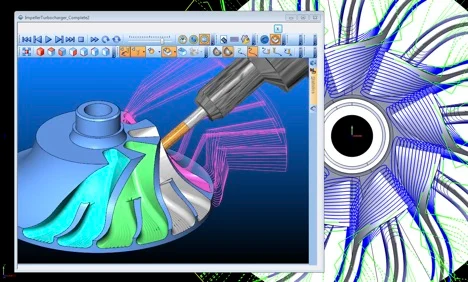
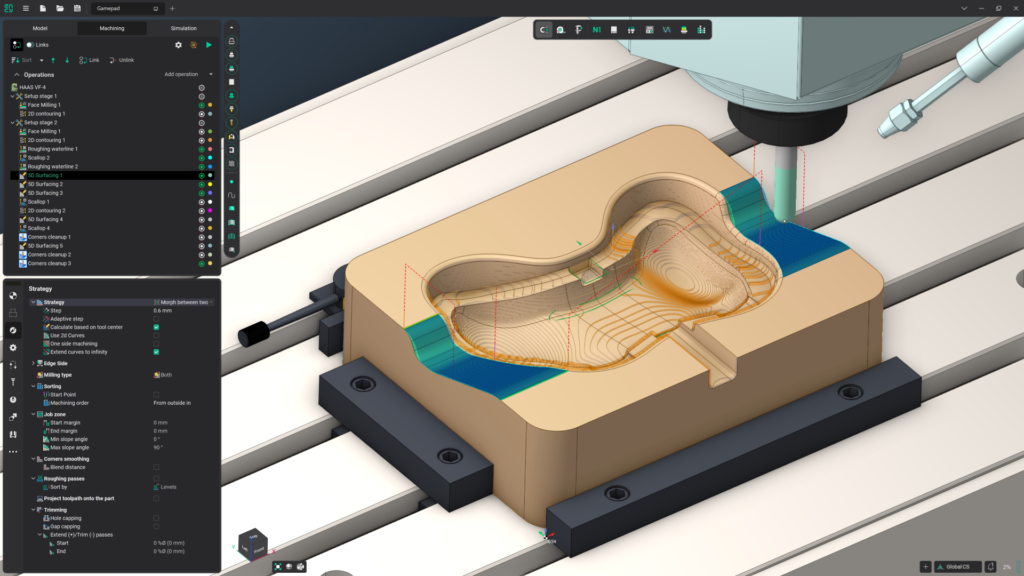
Toolpath simulation runs the entire program virtually, showing exactly how the tool will move through the part, the fixture, and the surrounding machine components. It flags collisions between the tool holder and clamps, gouges where a toolpath removes more material than intended, and any moves that would exceed the machine’s physical travel limits.
The Real Cost of Skipping This Step
A collision caught during simulation costs nothing beyond the time to review and fix the program. The same collision discovered on the actual machine can break a cutting tool, damage a fixture, scrap an expensive workpiece, or in worse cases damage the machine’s spindle — costs that dwarf the small amount of time simulation takes.
Simulation Builds Confidence for Unattended Runs
Beyond catching outright errors, a clean simulation gives confidence to run a program unattended or at higher speeds, since the operator has already seen the full toolpath behave correctly from start to finish rather than discovering problems live, mid-cut.
Want Confidence Before the Spindle Starts Turning?
RunTechEngineer simulates every machining program before it touches real material, catching collisions and errors while they are still a quick fix on screen rather than a costly mistake on the shop floor.
Once a program passes simulation, the final step is post-processing for the specific machine — or Contact Us to discuss your machining program.