The Short Answer
Choose an ESP32 if your project needs Wi-Fi or Bluetooth, more processing power, or low-power battery operation. It is the standard choice for IoT devices.
Choose an Arduino Uno if you are learning electronics for the first time, working with 5 V sensors and shields, or building something simple that never needs to go online.
In most connected projects the ESP32 wins on features and price. The Arduino wins on simplicity.
Arduino vs ESP32: What Are You Actually Comparing?
The two names are not the same kind of thing, and this causes a lot of confusion.
Arduino is a platform. It includes a family of boards (Uno, Nano, Mega, and others), a programming environment called the Arduino IDE, and a huge collection of libraries and tutorials. When people say “an Arduino”, they usually mean the Arduino Uno R3, which is built around the 8-bit ATmega328P microcontroller.
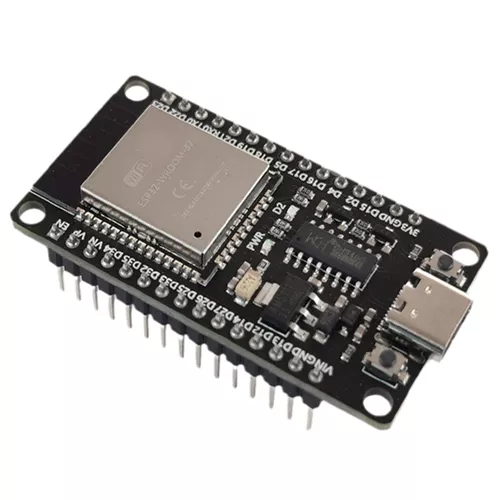
ESP32 is a family of microcontroller chips made by Espressif Systems. The chips are sold on many development boards from many manufacturers. The best known is the ESP32 DevKit, built around the ESP32-WROOM-32 module.
The two also overlap. An ESP32 can be programmed in the Arduino IDE using the same style of code, and Arduino itself sells boards that contain ESP32 chips. So the real question is usually “classic Arduino Uno or ESP32 board”, and that is the comparison used in this article.
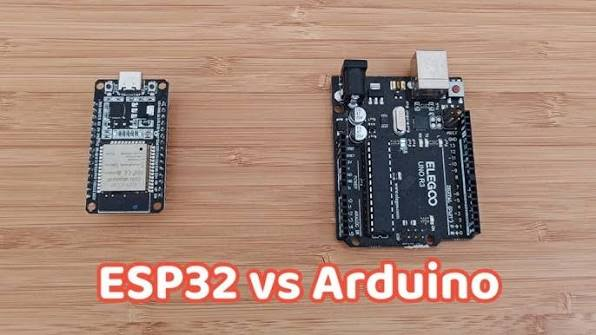
ESP32 vs Arduino Uno Comparison Table
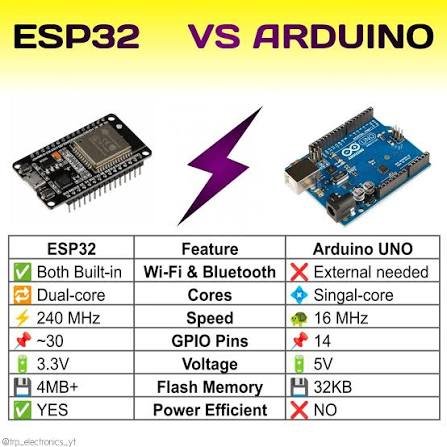
| Feature | Arduino Uno R3 | ESP32 DevKit (ESP32-WROOM-32) |
|---|---|---|
| Processor | 8-bit ATmega328P | 32-bit dual-core Xtensa LX6 |
| Clock speed | 16 MHz | Up to 240 MHz |
| RAM | 2 KB | 520 KB |
| Flash storage | 32 KB | 4 MB (typical) |
| Wi-Fi | No | Yes, 2.4 GHz |
| Bluetooth | No | Yes, Classic and BLE |
| Logic voltage | 5 V | 3.3 V |
| Digital I/O pins | 14 | About 25 usable |
| Analog inputs | 6 (10-bit) | Up to 18 (12-bit) |
| Analog output (DAC) | No | 2 channels |
| Deep sleep mode | Limited | Yes, very low current |
| Typical price | Higher | Lower |
Specifications vary between ESP32 variants and board makers, so check the datasheet of the exact board you buy.
Performance
The gap here is large. The ESP32 runs up to 15 times faster on clock speed alone, has two processor cores, and has hundreds of times more memory.
For blinking LEDs, reading a button, or driving a relay, this makes no difference. The Arduino Uno does those jobs perfectly well. The difference shows up when a project has to do several things at once: read multiple sensors, drive a display, encrypt data, and hold a network connection. The Uno’s 2 KB of RAM runs out quickly. The ESP32 handles this kind of workload comfortably.
Connectivity
This is the main reason people move from Arduino to ESP32.
The ESP32 has Wi-Fi and Bluetooth built into the chip. It can connect to a router, send data to a cloud server, host a small web page, or talk to a phone app with no extra hardware.
The Arduino Uno R3 has no wireless connection at all. To get it online you need to add a Wi-Fi or Ethernet shield, which increases cost, size, wiring, and code complexity. In many cases the add-on module is itself an ESP chip.
For any IoT project where data has to leave the device, the ESP32 is the more direct route.
Pins and Voltage: 5 V vs 3.3 V
This is the difference that damages the most boards.
The Arduino Uno works at 5 V. Its pins output 5 V and accept 5 V signals. Many older sensors, relay modules, and shields are designed around this.
The ESP32 works at 3.3 V, and its pins are not 5 V tolerant. Connecting a 5 V signal directly to an ESP32 input can destroy the pin or the whole chip. A 5 V sensor needs a level shifter or a voltage divider in between.
The ESP32 has more pins and more functions per pin, including capacitive touch inputs and two true analog outputs. It also has quirks that the Uno does not:
- Some pins are input only.
- Some pins affect how the board boots and should be left alone at startup.
- Some analog inputs stop working while Wi-Fi is active.
- The analog readings are less linear than on the Uno, especially near the top and bottom of the range.
None of these are serious problems once you know about them, but they explain why the Uno feels more predictable to a beginner.
Power Consumption
The answer depends on how the device is used.
When Wi-Fi is transmitting, an ESP32 draws much more current than an Arduino Uno, with short peaks in the hundreds of milliamps. A weak power supply or a thin USB cable causes random resets for this reason.
For battery-powered devices, the ESP32 is still usually the better choice because of deep sleep. The chip can shut almost everything down, wake up every few minutes, take a reading, send it, and go back to sleep. Used this way, a sensor node can run for months on a battery. The Arduino Uno board is not designed for this, since its regulator and USB chip draw power all the time.
One caution: many ESP32 development boards waste power in their own regulator and USB chip, so a real low-power product normally uses a bare module on a custom board instead of a DevKit.
Programming and Ease of Use
Both boards can be programmed in the Arduino IDE with C++ and the same basic functions, so skills transfer directly from one to the other.
The Arduino Uno is still easier on the first day. It works out of the box with no board packages to install, uploads are reliable, and almost every beginner tutorial is written for it.
The ESP32 takes a little more setup. You install the ESP32 board package, pick the right board from a long list, and sometimes hold a button during upload. In return you get more options: MicroPython, the professional ESP-IDF framework, a real-time operating system for multitasking, and over-the-air firmware updates.
Price
A genuine Arduino Uno costs noticeably more than a typical ESP32 development board, even though the ESP32 has far more capability. Once you add a Wi-Fi shield to the Uno, the difference grows further. Low-cost Uno clones narrow the gap but do not add any features.
For a one-off prototype the difference is small. For a product built in quantity, it matters.
ESP32 vs Arduino for IoT Projects
For IoT, the ESP32 is the clear choice. A typical connected device has to read sensors, connect to a network, send data securely, recover when the connection drops, and accept firmware updates remotely. The ESP32 does all of this on one low-cost chip.
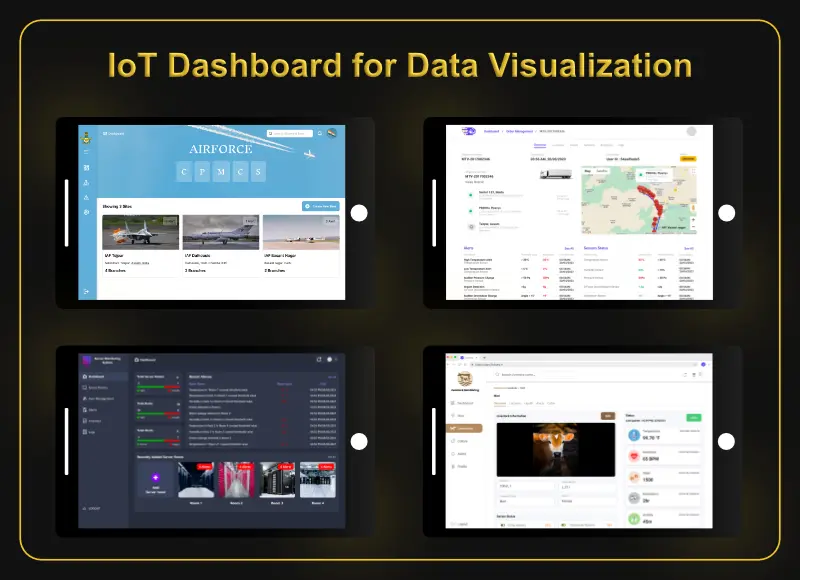
This is why most small connected products, from smart plugs to environmental monitors, are built on ESP32 or a similar chip. It is also what makes the next layer possible: sending data to remote monitoring dashboards where people can actually use it.
ESP32 vs Arduino for Beginners
If you have never wired a circuit, start with an Arduino Uno. The 5 V logic is forgiving, the pins are clearly labelled, and the learning material is hard to beat.
If you already know basic programming and your goal is a connected project, starting directly on an ESP32 is reasonable. You will meet a few more obstacles in the first week and avoid switching boards later.
Can an ESP32 Replace an Arduino?
In most projects, yes. An ESP32 can do almost everything an Uno can, faster, with wireless added. The exceptions are:
- Projects that depend on 5 V shields or 5 V sensors with no level shifting.
- Classrooms and workshops that follow Uno-based course material.
- Simple, stable designs where the Uno already works and there is no reason to change.
What About the Newer Arduino Boards?
The comparison above uses the classic Uno R3, but Arduino has moved on. The Uno R4 uses a 32-bit processor, and its WiFi version adds an ESP32 module for wireless. The Arduino Nano ESP32 is an ESP32 board in the Nano format, sold and supported by Arduino.
On the Espressif side there are several newer families, such as the ESP32-S3 with more processing power and the ESP32-C3 and C6, which are lower cost and support newer wireless standards.
So the choice today is less about one brand against another and more about picking the right chip, voltage, and form factor for the job.
Which Board Should You Choose?
| Your project | Best choice | Why |
|---|---|---|
| First electronics project | Arduino Uno | Simple, forgiving, best tutorials |
| Wi-Fi or Bluetooth device | ESP32 | Wireless built in |
| Battery-powered sensor node | ESP32 | Deep sleep extends battery life |
| Web server or phone app control | ESP32 | Enough memory and speed |
| 5 V sensors, relays, and shields | Arduino Uno | Native 5 V logic |
| Display, several sensors, and logging together | ESP32 | More RAM and two cores |
| Product made in quantity | ESP32 module | Lower cost per unit |
Common Mistakes When Choosing a Board
- Connecting 5 V signals directly to ESP32 pins.
- Powering an ESP32 from a weak supply and chasing random resets that are really voltage drops.
- Using analog pins that stop working when Wi-Fi is on.
- Choosing an Arduino Uno for an IoT project and then adding a Wi-Fi shield.
- Measuring battery life on a development board and expecting the same result from a finished product.
Frequently Asked Questions
Is ESP32 better than Arduino? On speed, memory, connectivity, and price, yes. The Arduino Uno is still better for a first project and for working with 5 V hardware.
Is ESP32 harder to use than Arduino? Slightly. The setup takes more steps and the pins have more restrictions, but the code is written the same way in the Arduino IDE.
Can I use Arduino code on an ESP32? Most of it. Basic sketches run with little or no change. Libraries written specifically for the Uno’s processor, and code that assumes 5 V or specific pin numbers, need adjusting.
Which is better for IoT, ESP32 or Arduino? The ESP32, because Wi-Fi and Bluetooth are built in and it has enough memory for secure network connections.
Does the ESP32 use more power than the Arduino? It uses more while Wi-Fi is active and far less in deep sleep. For a device that sleeps most of the time, the ESP32 lasts longer on a battery.
Need Help Choosing the Right Controller?
Picking the board is only the first decision. A reliable device also needs the right sensors, stable power, and firmware that handles lost connections without losing data. RunTechEngineer designs the hardware and firmware together, as described in our article on embedded systems development.
Explore our full IoT services or Contact Us to discuss your project.